One place for every permit:
Standardizing document management for a construction compliance firm
McCormick Compliance Consulting needed a document management system to eliminate the clutter and uncertainty in their construction permitting process.
1 Project Manager
2 Front-end Engineers
2 Backend Engineers
July to September 2021
Document management system
TL;DR
McCormick Compliance Consulting handles construction permitting for their clients, and the entire process runs on documents, but their project managers were juggling multiple systems with no standard workflow, which led to occasional costly mistakes.
As the only designer on a Lambda Studios team, I interviewed their staff over a few weeks, found that every project manager was using Asana differently, and designed a light CRM that organized their work around documents and permits instead of loose tasks, sitting right alongside the weekly report email client our team had already delivered.
We implemented a step-by-step document workflow that was automatically sent to the next place for proper permitting with DocuSign and automatic status updates, reducing the workload of the project managers massively. Standardizing the document templates on the compliance side reduced friction and confusion among both the agents and the departments issuing the permits as well.
What's not working
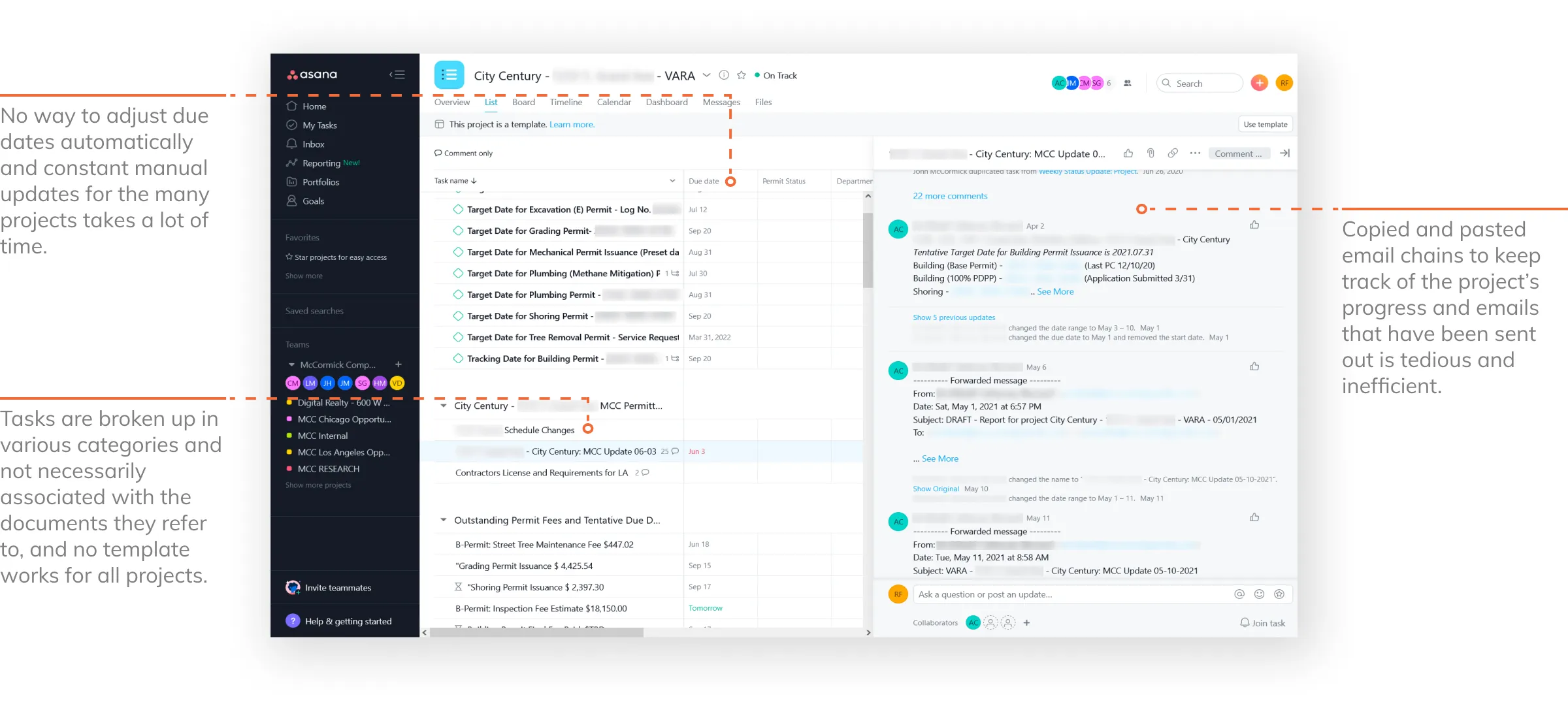
McCormick was using multiple systems to complete the permitting process for their clients, and with no standard workflow in place, mistakes happened that were occasionally costly. The whole process centered on documents, but the tasks themselves weren't actually grouped by document, so the structure of the work and the structure of the tools never lined up.
The team relied on Asana, which is a solid tool, but it couldn't handle the organization and automation they needed for fast, accurate document management. There was no way to adjust due dates automatically, so the project managers spent a lot of time on manual updates across their many projects. Tasks were broken up into categories that weren't necessarily tied to the documents they referred to, no single template worked for every project, and they tracked each project's progress by copying and pasting email chains, which was tedious and inefficient.
How might we enable our client to automate and standardize their document management?
Understanding the process
I conducted several interviews with McCormick's staff over Zoom across a few weeks, and the same three things kept coming up:
- Each project manager used Asana differently to keep track of their work.
- Constant copying, pasting, and rereading notes and documents was taking up too much time.
- Documents were the basis of every task, but the workflow wasn't organized around them.
That pointed to a few clear opportunities:
- A single document management system, combined with the email client we had already built, could standardize and streamline their workflow.
- A simple way to track each document's status would remove the need for pages of notes.
- Automating reminders, document requests, and form submissions would dramatically reduce the workload.

Designing the workflow
With everything the client wanted long term, a light CRM made the most sense. At a minimum it needed to house the weekly report email client we had already delivered, the business's many contacts, and the document management system itself.
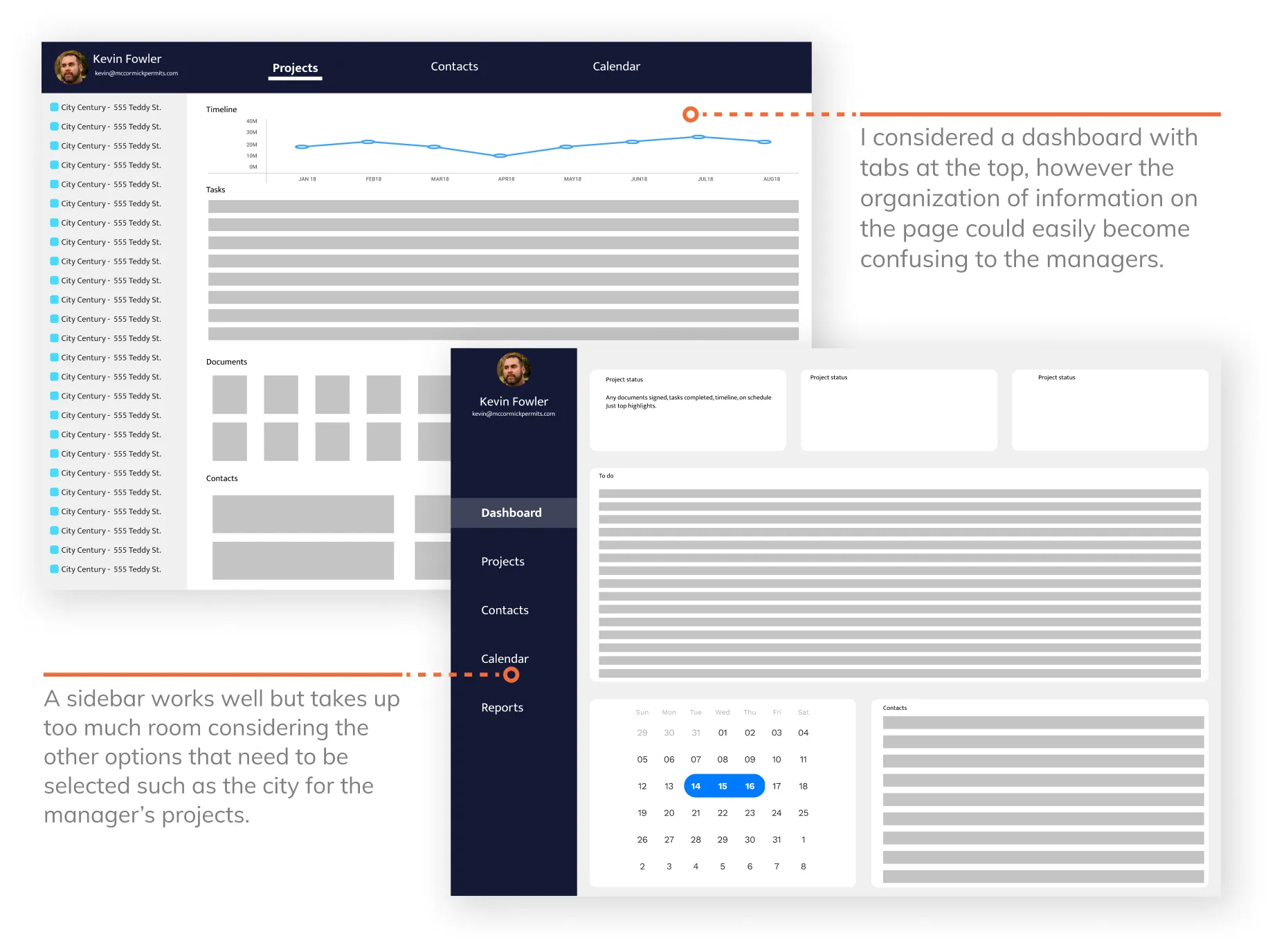
I explored a couple of layouts in wireframes first. A dashboard with tabs across the top kept things compact, but the organization of information on the page could easily become confusing to the managers. A full sidebar worked well, but it took up too much room once you added the other things they needed to choose from, like the city for each manager's projects.
To figure out the best direction, I ran tests and interviews with the people who would actually use a system like this, and as we learned more about their requirements, I designed a dashboard built around ease and automation. My first version included:
- A condensed left-side navigation, which left room for future integrations in a familiar pattern
- Every item separated into specific documents, to standardize the entire workflow
- Dates that updated automatically to save time
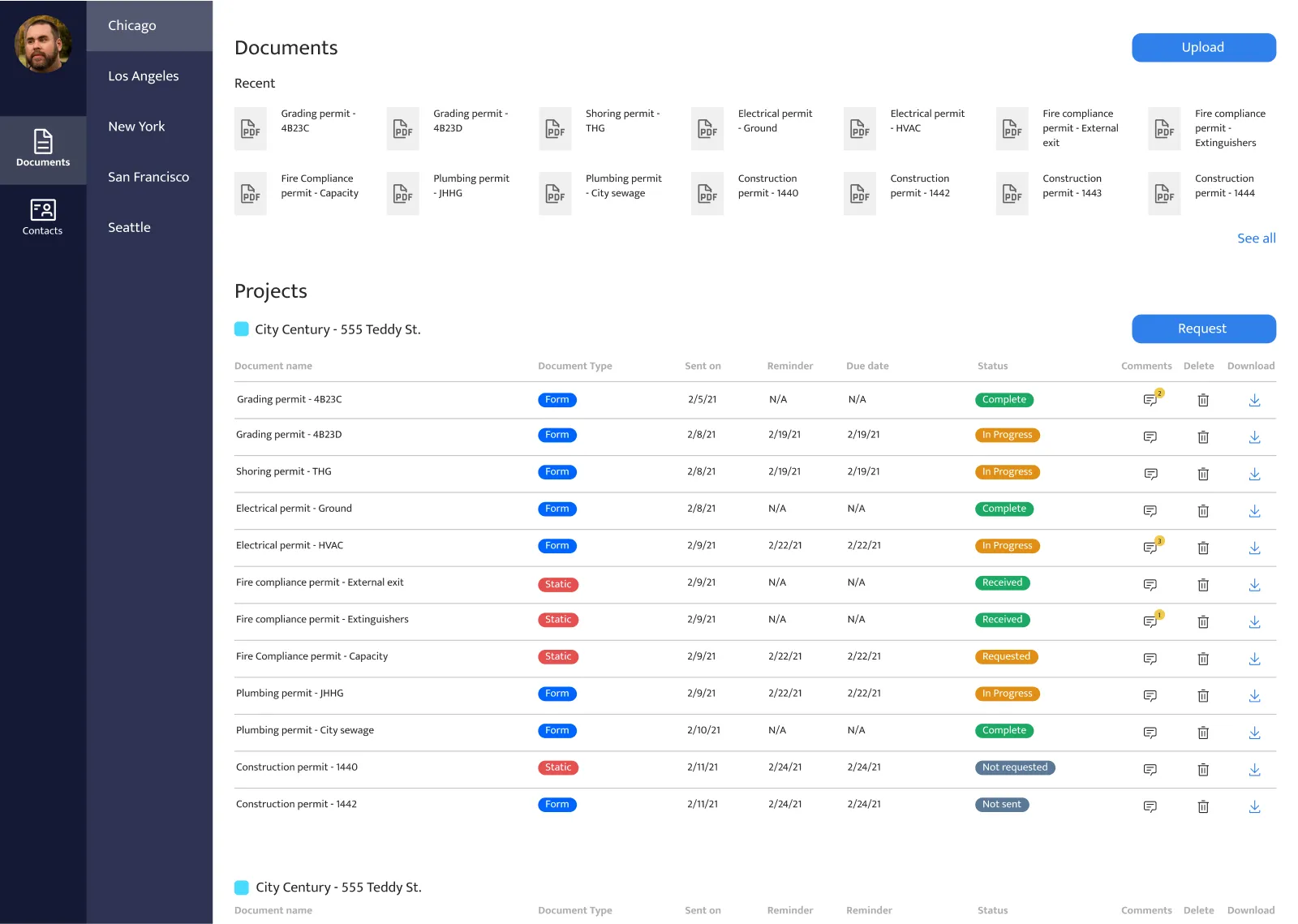
Testing that dashboard with the people who would use it gave us some early validation:
“This dashboard feels a lot more straightforward, it will be a lot easier to find my projects this way.”
Samantha Gillen, Project Manager
Well that didn't work
That first version still left a few gaps. Past projects and templates didn't have a home yet, the documents needed subtasks or statuses to integrate with the underlying CRM, and dates still had to be editable so clients got the right intervals.
Then, just when the structure felt right, a major change to the backend and the integrated CRM meant rethinking how documents were displayed altogether. I moved the document groups into cards and separated the projects into permits, which ended up becoming the core of the final design. The first version of the cards took away horizontal space the layout really needed and looked strange, so it took a few more rounds of revisions to get right.
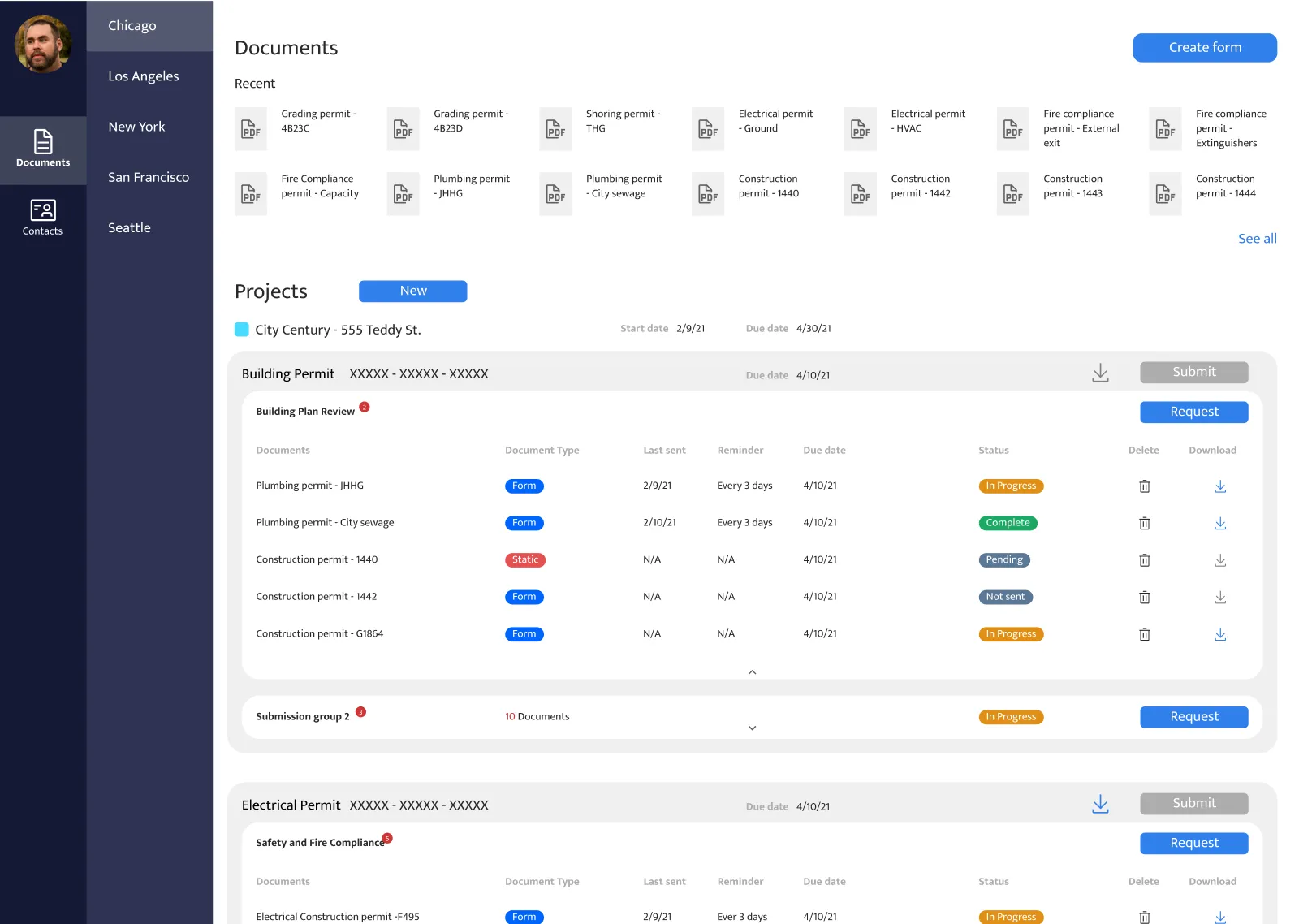
Fixing the issues
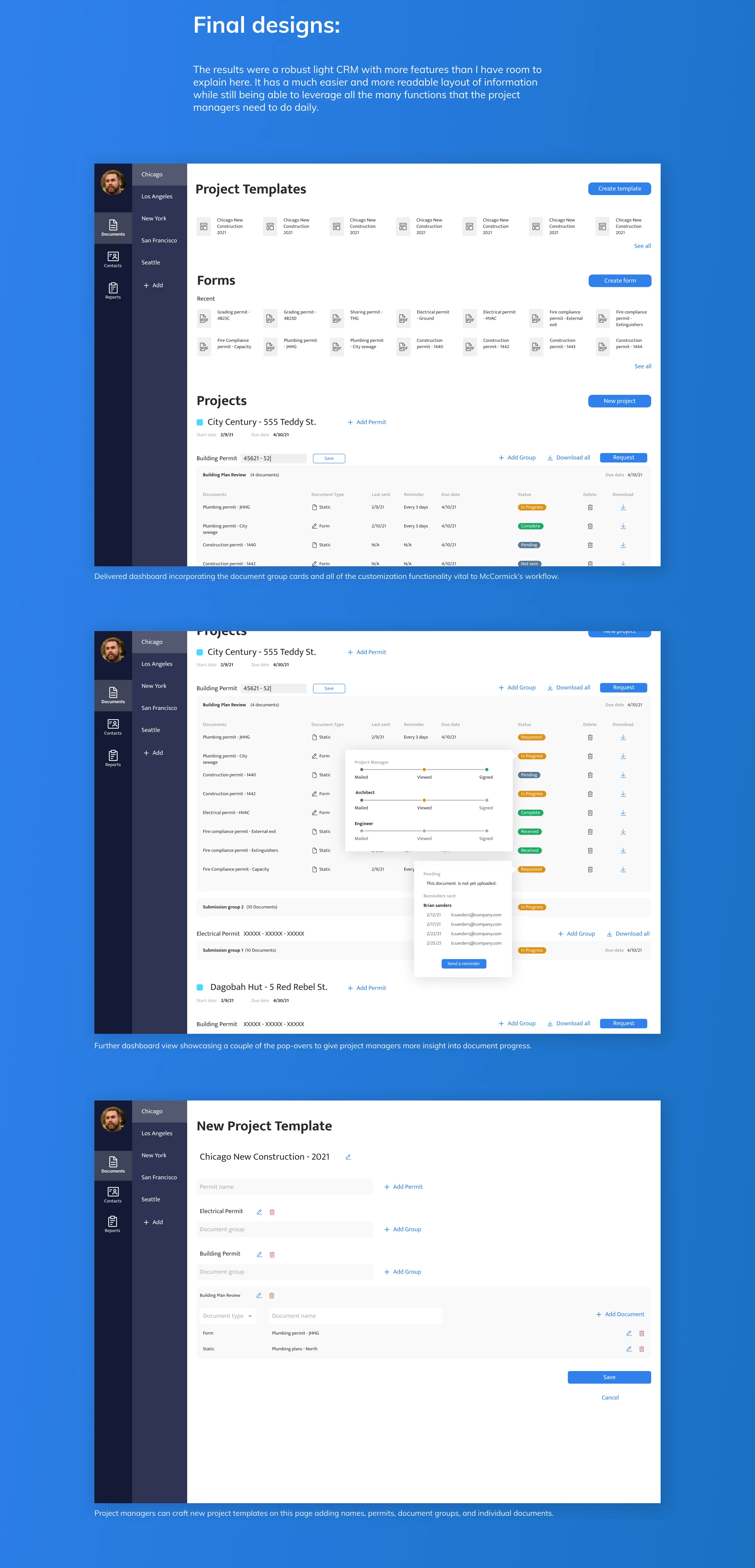
After more revisions, the final design accommodated both the new backend, with its larger integrated CRM functionality, and the standardized workflow McCormick's project managers needed. The result was a robust light CRM with a much easier, more readable layout, one that still gave the project managers access to all the functions they rely on every day.
Permits and document groups
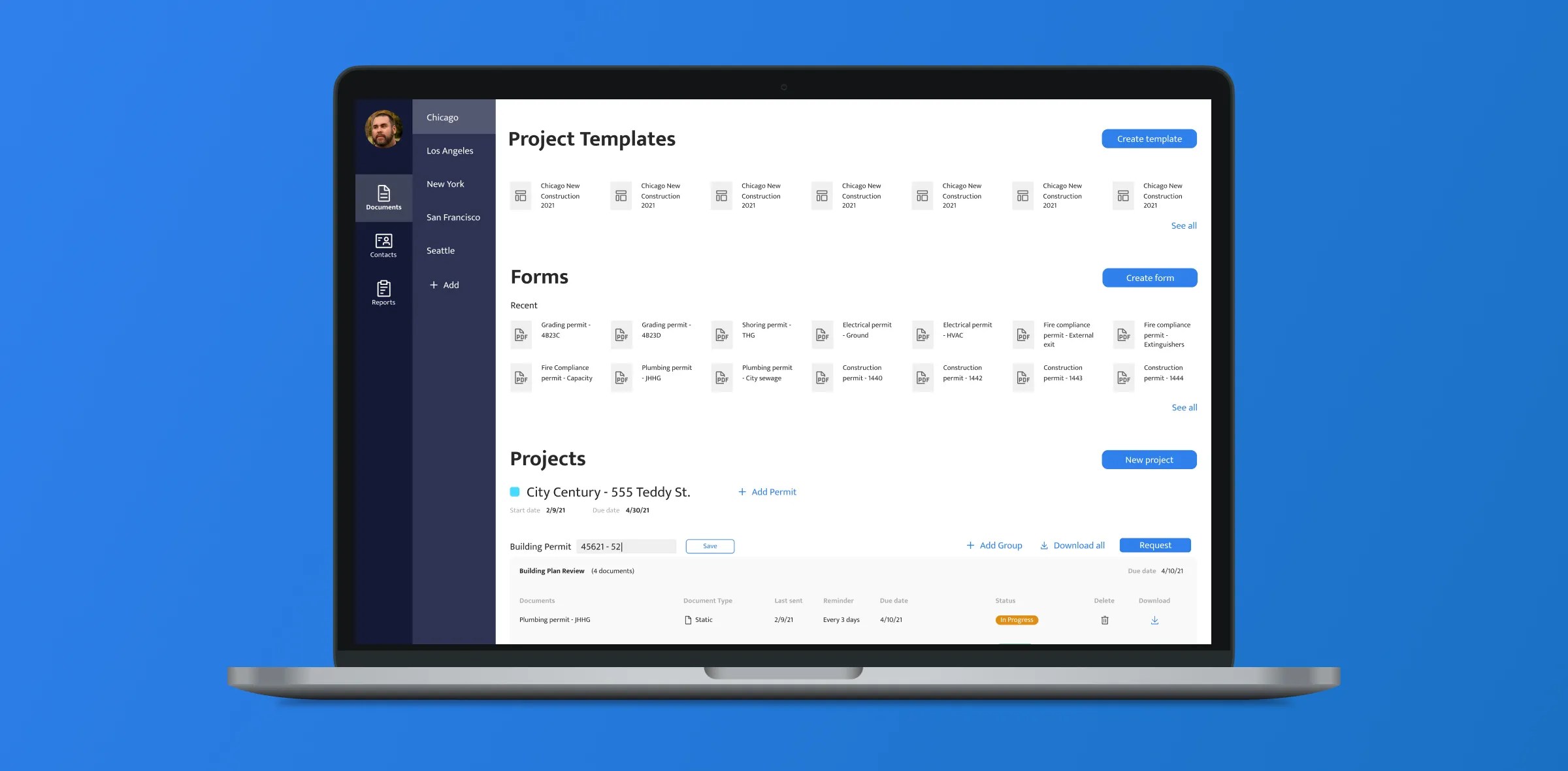
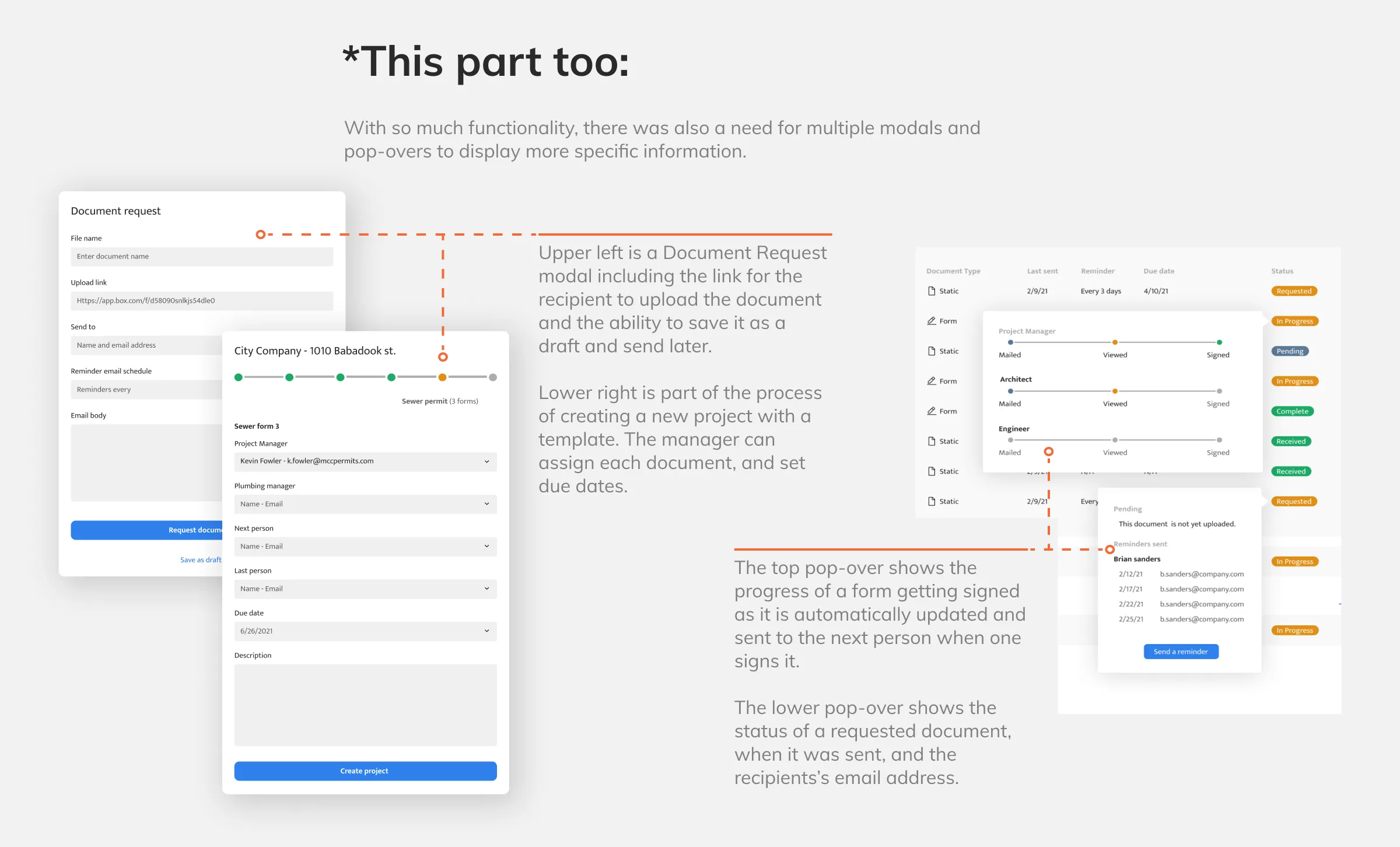
The delivered dashboard organizes each project into permits, with documents grouped inside cards and a status on every document. Pop-overs give the project managers more insight into each document's progress: one shows a form moving through signatures, updating automatically and passing to the next person as each one signs, and another shows when a requested document was sent and who it went to.
Project templates
Project managers can build new project templates by adding names, permits, document groups, and individual documents, and when they start a new project from a template, they can assign each document and set its due dates.
Document requests
A Document Request modal includes the link the recipient uses to upload the document, with the option to save the request as a draft and send it later.
Improvements and outcomes
The dashboard was delivered to McCormick with the document group cards and all of the customization their workflow depended on.
- A step-by-step document workflow that automatically sends each document to the next place it needs to go for permitting, with DocuSign signatures and automatic status updates, massively reducing the project managers' workload
- Standardized document templates on the compliance side, which reduced friction and confusion for both the agents and the departments issuing the permits
What I learned
Working with McCormick and the Lambda Studios team taught me how much ownership a designer has to take when they're the only one on the project. If I did it again, I'd approach the user interviews a bit differently and use them to build a stronger shared foundation for the whole team around what the client actually needed.
It also taught me that tables are hard to design, and I was glad I'd had some practice going into this project, which turned out to be good preparation for the much bigger data tables I've designed since.